Elisabeth L.
Red / Green Light Mode turns every video into a sequence of timed phases. The video cycles between green and red, each phase lasting a random number of seconds within limits you set, and the frame around the video changes colour so you always know which one you’re in. What you do during each phase is up to you. The extension keeps the time.
It’s a video-only mode. Images on the page aren’t affected and are censored as normal by your zones and style.
How it works
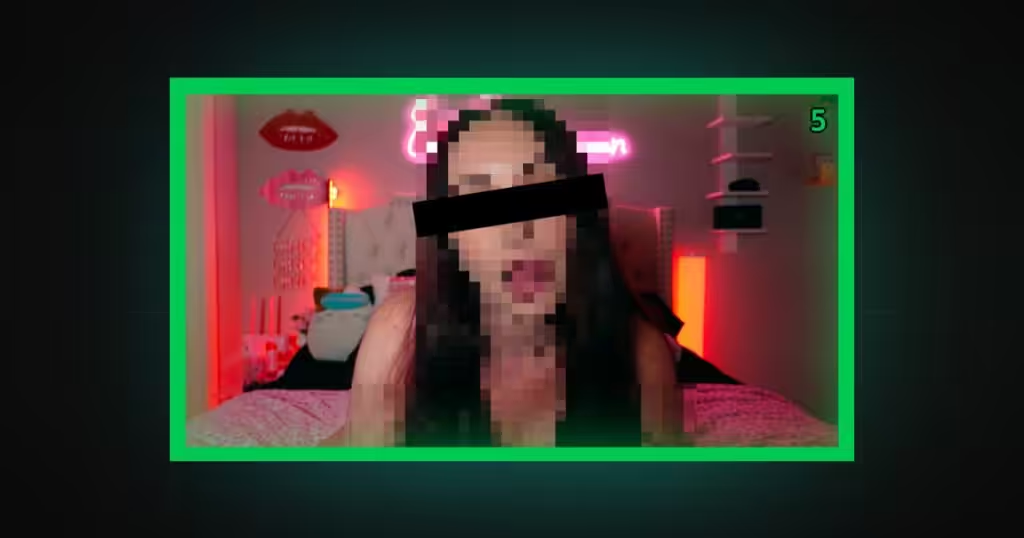
Enable the mode and every video gets a frame: green during a green phase, red during a red phase. When a phase ends, one of the other colour begins with a fresh random duration, and this continues for as long as the video plays.
The video itself keeps playing through both. Red isn’t a block. It’s a signal, and the point of the mode is that you don’t choose when it arrives or how long it stays.
Speed
Four settings control the timing: a minimum and maximum length for green, and a minimum and maximum for red. Each phase picks a random duration between its two limits.
Short, similar ranges give a fast, unpredictable rhythm. A long green range with a short red one gives extended stretches with brief interruptions. Reverse it and most of the time is red. Defaults are 5 to 20 seconds for both.
Themes
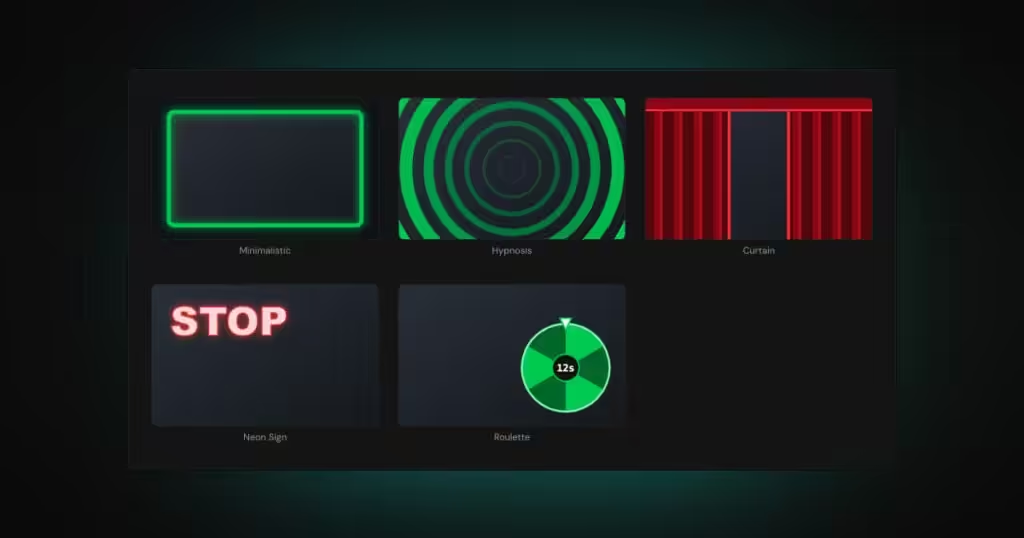
Five themes decide what the phases look like. They’re visual only, and none of them changes the timing or the censoring.
Minimalistic is a coloured border around the video, green or red, with adjustable width and an optional glow.
Hypnosis draws a spiral. Neon Sign lights up a STOP sign on red and GO on green. Roulette spins a wheel to pick the length of the next phase, then counts it down.
Curtain is the one theme that touches visibility. On red, curtains close over the video. You can still hear it; you can’t see it.
Every theme has its own settings beyond the shared ones, so each can be tuned separately once you’ve picked it.
Countdown
Show the seconds remaining in the current phase, for green, red, or both. Position it in any corner or the centre of the video, and set the font size. Turn it off and each phase ends without warning.
Censoring per phase
This is where the mode gets configurable. Censoring is set separately for green and for red, and for each phase there are three choices: keep your normal zone censoring, switch it off so the video plays uncensored for that phase, or pick the hardcore option, which pixelates the whole video for the entire phase.
So you might run green uncensored and red with normal censoring. Or green censored normally and red fully pixelated. Or, at the far end, whole-video pixelation on both, with only the colour of the frame telling you which phase you’re in.
How it fits with the rest of DeniedPixels
Red / Green Light is one of the main modes, alongside Only Once, Decay and Beta TV, and it doesn’t combine with them. With it enabled, videos follow the phase cycle described here, while images are handled by your detection zones and censoring style as usual, with no mode applied.
Once it’s set the way you want, Self Lock keeps it there.