
 Elisabeth L.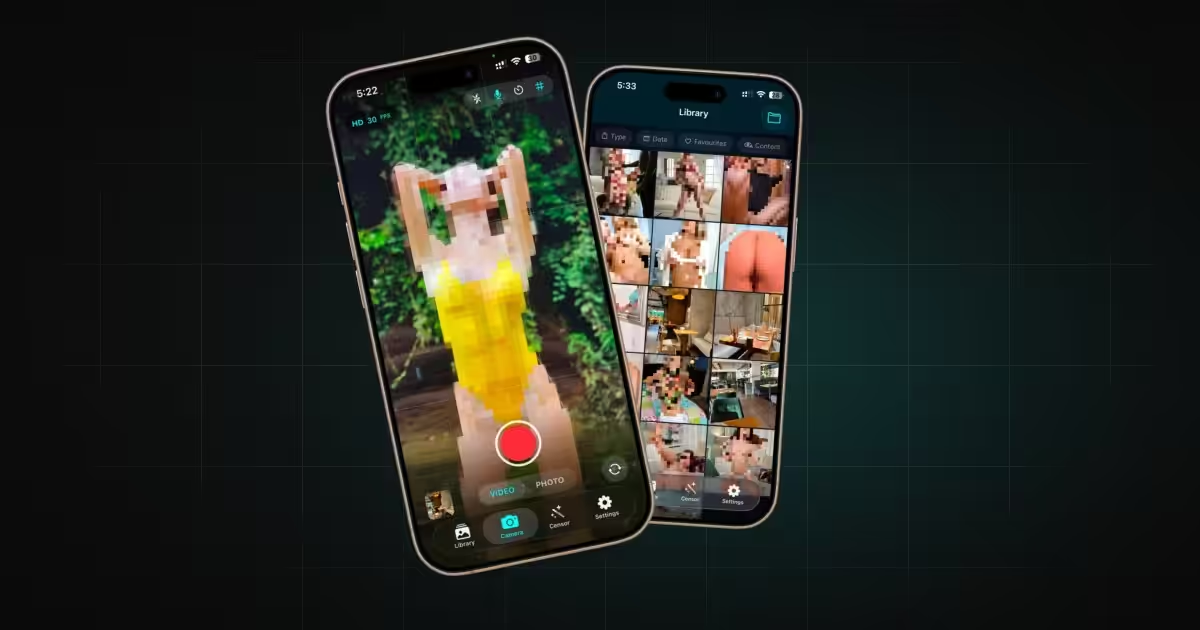
DeniedPixels censors what you browse in Safari. But the web isn’t the only place explicit content reaches you. It’s already on your phone, in your camera roll, in the viewfinder, in the screenshots you scroll past.
Censored Gallery covers it. Point it at your library and every explicit image is pixelated, blurred or blacked out as you scroll. Point it at your camera and the view is covered before you see anything. It’s real-time censoring of your own content, on your own device, and once it’s on you don’t get to see what’s underneath.
Download Censored Gallery on the App Store →
What it does
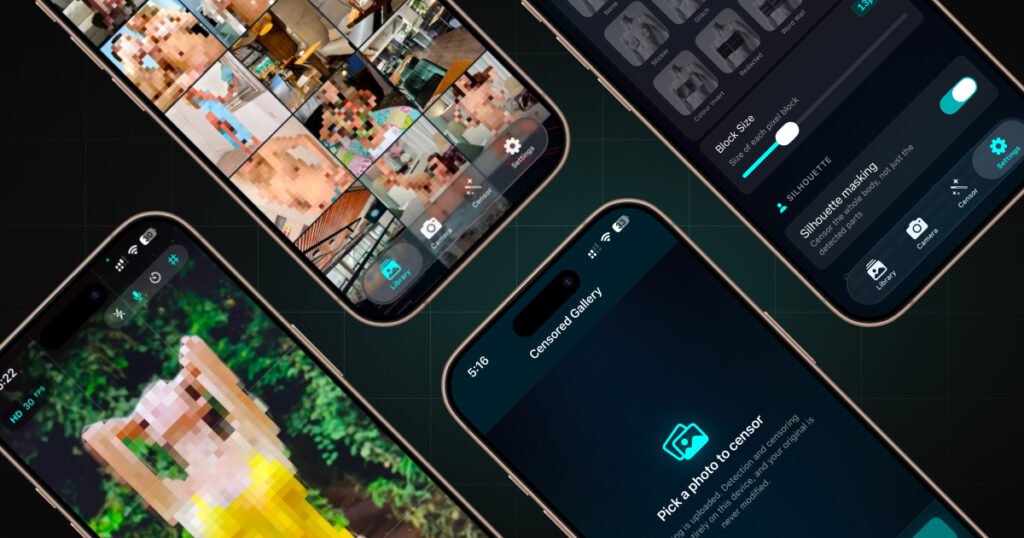
Censored Gallery detects nudity and covers it, in three places:
Your photo library. Browse your whole camera roll with censoring applied live as you scroll. The photos on disk are never touched, so you’re seeing a covered view of your real library, not edited copies.
Your camera. Point it and the viewfinder is censored in real time. Take covered photos, or record covered video with sound.
A single photo. Open any image and edit just that one, with its own style and settings. Add text and stickers, or draw on it. There’s also an extension that works inside Apple’s own Photos app, so you can censor without leaving it.
The part that matters: nothing leaves your phone
This is the same principle DeniedPixels runs on. Detection and censoring happen entirely on your iPhone, on Apple’s Neural Engine. The app makes no network requests. There’s no server, no account, no upload, no analytics.
Your photos are never copied off the device and never seen by anyone but you. Because there’s no network dependency, the whole thing works in airplane mode.
Most tools that do this send your images to a server for processing. Censored Gallery physically cannot, and for photos from your own library that’s the whole point.
Eleven styles, and control over what gets covered
Cover detected areas with any of eleven styles: pixelate, blur, black bar, sticker, glitch, colour fill, noise, colour invert, redacted, word wall or oil paint. Each one is adjustable.
You also choose what counts. A picker of twenty-eight body-part categories lets you cover only explicit areas, or add faces and eyes to anonymise people before posting, or cover feet or hands. Silhouette Masking covers a whole outline rather than a single detected part, and Reverse Censoring covers everything except the detected areas.
For when you’d rather not have the choice
Some people want their library covered and left that way. Silhouette Masking covers the whole outline of a person rather than just the detected areas. Reverse Censoring covers everything except the part you select. Add faces to the categories and it covers those too. Set it once, and browsing your own phone stops handing you what you were looking for.
It goes further if you don’t hold the controls yourself. Combined with the settings-lock tools across the DeniedPixels ecosystem, the configuration can be set by someone else and left in place, so what you’re allowed to see isn’t up to you in the moment.
How it works with DeniedPixels
Censored Gallery and DeniedPixels are companion apps. DeniedPixels handles the web in Safari; Censored Gallery handles your own photos, camera and screenshots. Between them, nothing you’d rather not see stays visible: covered on the web by the extension, covered on your phone by the gallery.
If you already use DeniedPixels, Censored Gallery is the other half of the same idea, built the same way, with the same rule that nothing leaves your device.
Getting it
Censored Gallery is free on the App Store, with no subscription and no in-app purchase. It runs on iPhone with iOS 17 or later.
Download Censored Gallery on the App Store →
For more on how on-device detection works and why it matters, see how DeniedPixels censors content without uploading anything.